
Garmin Device Support
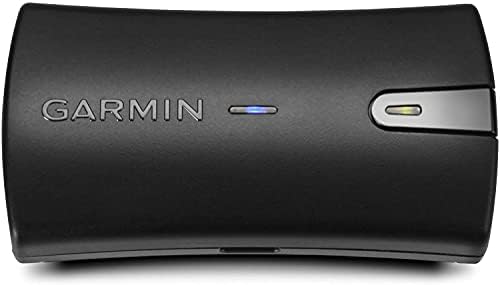
Garmin Glo2 Setup Guides
iPhone users
The Garmin Glo 2 will improve accuracy and increase update rates on iOS devices to 2-3Hz.
Connecting the Glo 2 to MyRaceLab iOS is as simple as pairing the device in the iOS Bluetooth settings.
- Turn on the Glo 2 within a few meters of the iPhone
- Open iOS Bluetooth Settings
- Enable Bluetooth and browse the list of devices available to connect.
- Select Garmin Glo 2 # (followed by a unique device ID) and wait for device to connect.
Android users
The Garmin Glo 2 will improve accuracy and increase update rates on Android devices to 7-10Hz.
Connecting the Glo 2 to MyRaceLab Android requires two steps:
Pair Glo 2 to phone using Bluetooth®
- Turn on the Glo 2 within a few meters of the phone.
- Open Bluetooth Settings
- Enable Bluetooth and browse the list of devices available to connect.
- Select Garmin Glo 2 # (followed by a unique device ID) and wait for device to connect.
Add Glo 2 in MyRaceLab app settings
- Select Settings > Devices & Sensors > Bluetooth Devices
- Tap + GPS Devices and select Garmin Glo 2. The paired GPS devices will be shown. Tap the device you want to use.